
Ayush Gupta
Founder, ThoughtMint
Best AI Post Generators for LinkedIn in 2026 (5 Tools Tested)
An AI post generator writes LinkedIn content for you — hooks, body copy, even carousels — based on a topic or idea you give it. The good ones sound like you. The bad ones sound like a press release.
We tested five: ThoughtMint, Taplio, Supergrow, Jasper, and Copy.ai. Two are built only for LinkedIn. Two are general-purpose AI writers you can bend toward LinkedIn. One sits in between.
Here's what each one actually does, what it costs, and which one fits your situation.
Why AI Post Generators Exist
Nearly 70% of LinkedIn users interact with brand content at least once a week, according to Sprout Social's 2026 Social Media Content Strategy Report. That's a real audience, showing up regularly.
The problem isn't the audience. It's staying in front of it. Writing three good posts a week, every week, for months, is where most people quit. An AI post generator exists to remove that specific bottleneck — not to replace your judgment, but to get you from blank page to editable draft in minutes instead of an hour.
Quick Verdict
Best overall for LinkedIn-only creators: ThoughtMint. It's built around one job — turning your ideas into LinkedIn posts that sound like you, not like AI — and it's the only tool in this list with a permanent idea bank and a built-in carousel maker.
Best if you also want scheduling and analytics baked in: Taplio.
Best budget option: Supergrow, starting at $19/month.
Best if you need AI writing across many channels, not just LinkedIn: Jasper or Copy.ai.
1. ThoughtMint — Best AI Post Generator Built Only for LinkedIn
ThoughtMint generates LinkedIn posts, not generic marketing copy. That's the whole pitch, and it shows in the details.
The core feature is voice customization. You train it on your own writing once, and it keeps that voice in every post afterward — the platform's own description is "learns your voice once, then always." That matters because the biggest complaint about AI-written LinkedIn posts is that they all sound the same.
Three other features separate it from a plain AI writer:
- Idea Bank — a permanent library for capturing ideas as they occur to you, so you're never starting from a blank page.
- Visual Content Studio — builds carousel posts without Canva or Figma.
- Content Repurposing — turns a blog post or video into a text post, a carousel, and a thread from one input.
Under the hood, ThoughtMint's generation is informed by an analysis of 50,000+ high-performing LinkedIn posts and 100,000+ engagement patterns, and the Authority plan adds a "Virality Meter" that scores a draft before you publish it.
Pricing: Builder plan is $29/month (around 30 posts/month, 15,000 words). Authority is $49/month (around 50 posts/month, 25,000 words, plus the Virality Meter). Both come with a 7-day free trial and no credit card required.
Who it's for: Anyone whose personal brand lives on LinkedIn specifically — founders, consultants, and creators who want AI help without sounding like everyone else using AI help.
Pros: Voice customization actually trained on your writing; permanent idea bank; carousel builder included; 7-day free trial with no credit card.
Cons: LinkedIn-only — not useful if you also need AI copy for blogs, ads, or email.
Start your free 7-day trial with ThoughtMint →
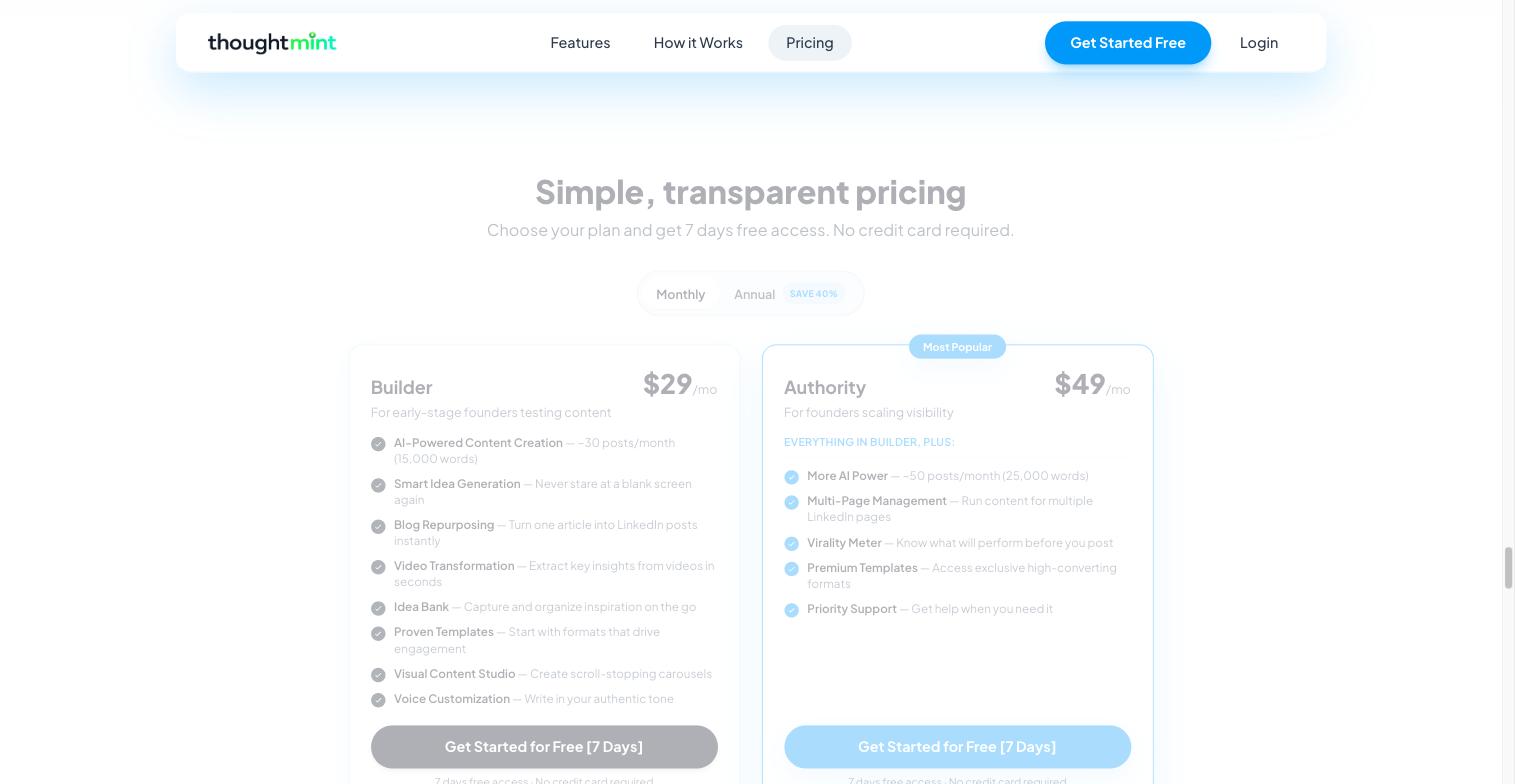
ThoughtMint pricing page — Builder vs. Authority
2. Taplio — Best for Scheduling, Analytics, and AI Content in One Place
Taplio is the closest thing to an all-in-one LinkedIn suite in this list. It generates posts with AI, schedules them, and tracks performance — all from one dashboard.
Its AI content creation "utilizes artificial intelligence to generate high-quality, personalized LinkedIn posts tailored to your niche and audience preferences," and it pairs that with a personalized chat assistant for brainstorming and rewriting drafts. Reviewers on G2 specifically call out "the AI writing and copy improver tool" as a standout.
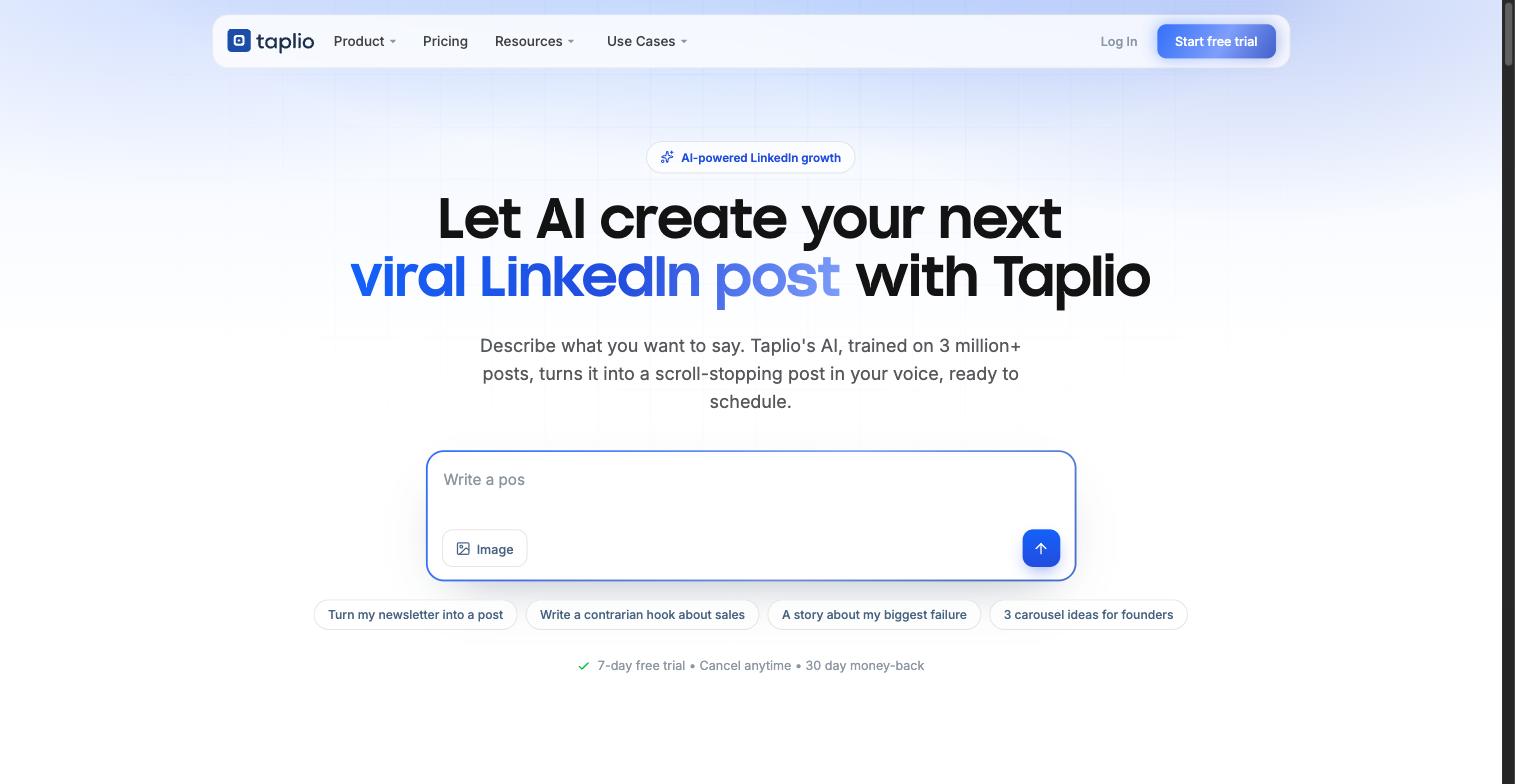
Taplio's AI content creation panel
Taplio holds a 3.9 out of 5 rating on G2. That's solid, not exceptional — a few reviewers note the learning curve on the scheduling and analytics side, which is a lot more surface area than a pure post generator.
Pricing: Plans start at $39/month for Starter, rising through Growth and Pro tiers (Taplio doesn't publish exact Growth/Pro numbers on its marketing pages — you'll see them at checkout). A 7-day free trial gives full Pro-level access, including unlimited credits.
Who it's for: Creators and agencies who want AI writing plus scheduling plus analytics in one subscription, and don't mind paying more for the extra surface area.
Pros: All-in-one — generation, scheduling, and analytics in one dashboard; established G2 track record; unlimited credits during the trial.
Cons: Higher starting price than Supergrow or ThoughtMint; more surface area to learn if you only want post generation.
Want the longer version of this matchup? We've written up a full Taplio vs. ThoughtMint comparison covering price, features, and who each tool actually fits.
3. Supergrow — Best Budget AI Post Generator
Supergrow's angle is turning talking into posts. Its Postcast feature runs a short AI interview with you — the company claims a 10-minute conversation can produce 3-5 finished posts — and its "Content DNA" system is built to learn your actual voice from that conversation.
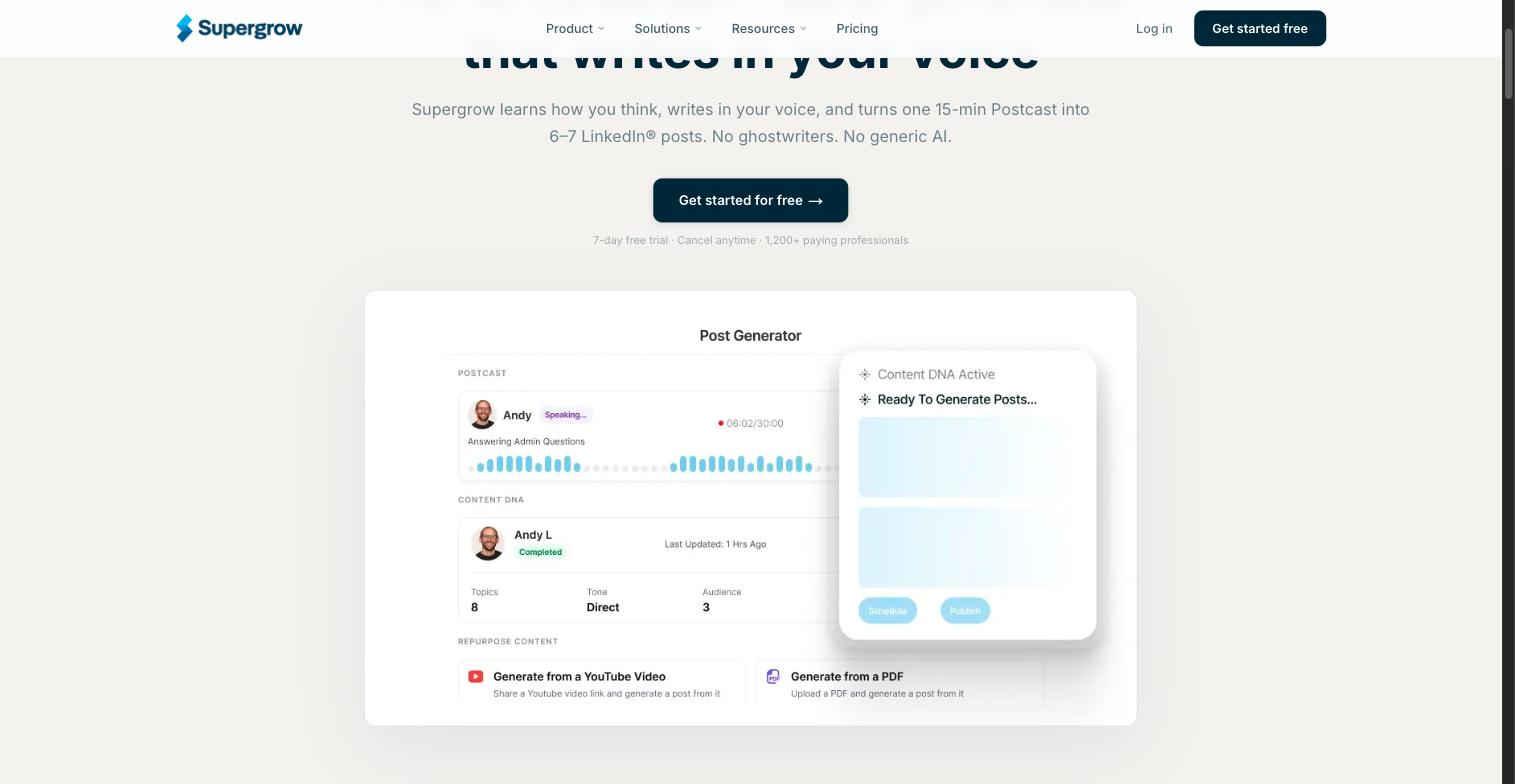
Supergrow's Content DNA / Postcast interface
It's the cheapest tool on this list with a real AI generation feature behind it, and the Pro tier adds a carousel maker and infographic generator on top of the writing.
Pricing: Starter is $19/month (includes 2 Postcast AI sessions, content repurposing, scheduling, and a kanban board). Pro is $39/month (unlimited Postcast sessions, plus carousel and infographic tools). A Teams plan runs $139/month for 4 seats. All plans save 20% if you pay annually.
Who it's for: Budget-conscious creators, especially ones who'd rather talk through an idea than type it out.
Pros: Lowest entry price with real AI generation behind it; Postcast turns talking into drafts, which suits people who dislike typing first drafts; carousel and infographic tools on Pro; claims a 4.8/5 rating on G2, per Supergrow's own site.
Cons: Content DNA voice-matching is newer and less independently reviewed than ThoughtMint's or Taplio's approach.
4. Jasper — Best for AI Writing Beyond LinkedIn
Jasper isn't a LinkedIn tool. It's a general-purpose AI content platform that can write a LinkedIn post if you point it there, alongside blog posts, ads, and email — and it's the most established name on this list, with a 4.7 out of 5 rating from over 1,270 reviews on G2.
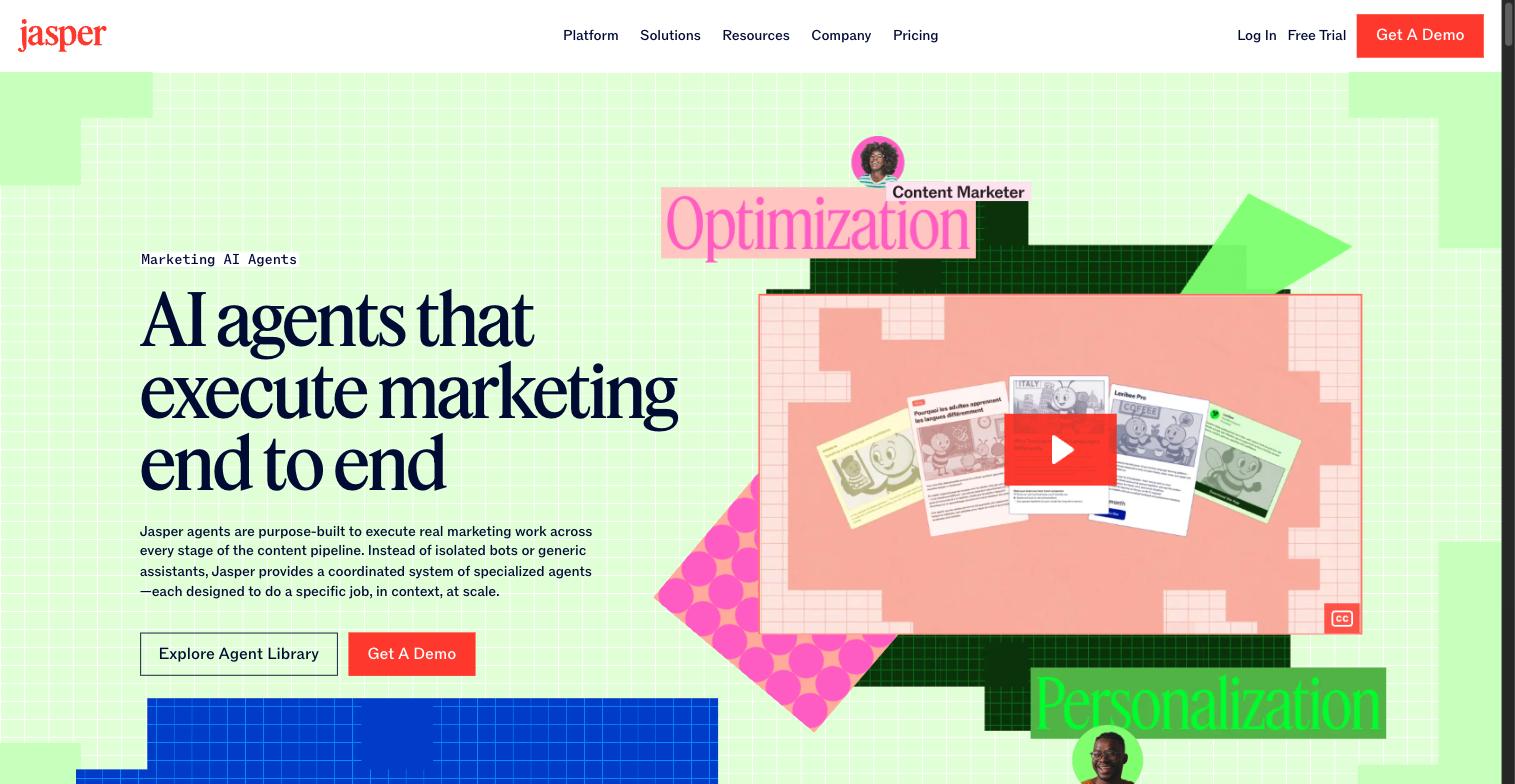
Jasper’s "AI marketing agents" platform
That breadth is the trade-off, and it's grown wider recently — Jasper has repositioned itself around "AI agents that execute marketing end to end" rather than simple content templates. That's a bigger, more ambitious platform, but it also means there's no dedicated LinkedIn post template anymore. You're pointing a general marketing-agent system at LinkedIn, not using a purpose-built LinkedIn workflow with a voice model, an idea bank, or a carousel maker.
Who it's for: Teams already using Jasper for other content who want LinkedIn posts to come out of the same system, rather than someone whose main channel is LinkedIn specifically.
Pros: Highest review volume and rating of any tool here (4.7/5 across 1,274+ G2 reviews); one subscription covers many content types, not just LinkedIn.
Cons: No LinkedIn-specific voice training, idea bank, or carousel builder; pricing is aimed at teams and isn't published as a simple flat rate.
5. Copy.ai — Best Free Starting Point
Copy.ai is the other general-purpose option here. It offers a genuinely usable free plan, with paid plans starting around $29/month for more volume and its chat-based workflows.
Like Jasper, it can produce a LinkedIn post from a prompt, but it's not tuned for LinkedIn specifically — no voice training, no post-performance scoring, no native carousel support. It's a reasonable place to test whether AI-assisted writing fits your workflow before paying for anything.
Who it's for: Anyone who wants to try AI-generated LinkedIn content for free before committing to a LinkedIn-specific tool.
Pros: Genuinely usable free plan; low $29/month entry point for paid features; chat-based workflow is fast for quick drafts.
Cons: Same limitation as Jasper — no LinkedIn-specific training, scoring, or visual tools; you'll spend more time editing to make output sound like an individual rather than a brand.
Comparison Table
| Tool | Built for LinkedIn? | Starting price | Standout feature |
|---|---|---|---|
| ThoughtMint | Yes | $29/mo | Voice customization + idea bank |
| Taplio | Yes | $39/mo | AI writing + scheduling + analytics |
| Supergrow | Yes | $19/mo | Postcast (talk-to-post) |
| Jasper | No | Custom (contact sales) | Multi-channel AI marketing agents |
| Copy.ai | No | Free / $29/mo | Usable free tier |
Not sure where to start? Try one of ThoughtMint's free tools first — the free LinkedIn Post Ideas Generator and AI LinkedIn hook generator give you a feel for AI-assisted LinkedIn writing before you pick a paid tool.
How We Compared These Tools
We looked at four things for each tool: whether it's actually built for LinkedIn or bolted onto a general writer, what it costs at the entry tier, what independent reviewers say (via G2, where available), and what makes it different from a plain ChatGPT prompt.
Two of the five — Jasper and Copy.ai — are general AI writers first. That's not a knock; it just means you're trading LinkedIn-specific features (voice training tuned to LinkedIn's format, an idea bank, carousel tools) for breadth across other content types.
If your content strategy also needs your posts to sound consistent over months, not just individually good, a tool that learns and keeps your voice — like ThoughtMint's approach — solves a different problem than a general writer that starts fresh every prompt.
Price also isn't the whole story. Supergrow is the cheapest tool here, but "cheapest" only matters if the output needs less editing than a free ChatGPT prompt would. Judge each tool on how much time it actually saves you after the AI draft is done — not just what shows up on the pricing page.
Build your LinkedIn content system with ThoughtMint →
Once your posts are written, formatting matters almost as much as the words — our LinkedIn text staircase formatter turns dense paragraphs into the scannable, line-broken style that performs better on mobile feeds.
Bottom Line
If LinkedIn is your main channel, pick a tool built only for LinkedIn. ThoughtMint's voice customization and idea bank solve the "sounds like AI" problem better than a general writer can, and the 7-day free trial costs nothing to test.
If you want scheduling and analytics bundled with generation and don't mind the higher price, Taplio covers more ground. If budget is the deciding factor, Supergrow gets you real AI generation for $19/month. And if LinkedIn is just one of several channels you write for, Jasper or Copy.ai will serve you better than forcing a LinkedIn-only tool to do double duty.
Whichever you pick, treat the first draft as a starting point, not a finished post. The tools that win in 2026 are the ones that save you the most editing time — not the ones that sound the most impressive in a demo.
Ready to stop staring at a blank screen? Start your free 7-day sprint →